
Designer Canvas
Professional AutoCAD Tools for Interior Design Studios
The Starter Block Pack is an imperial-unit AutoCAD block library designed to reduce repetitive drafting and help your studio create cleaner, more consistent drawings.
Stop redrawing the same elements on every project. Insert blocks that are dimensionally accurate, genuinely dynamic, and ready to use from the moment they’re placed.
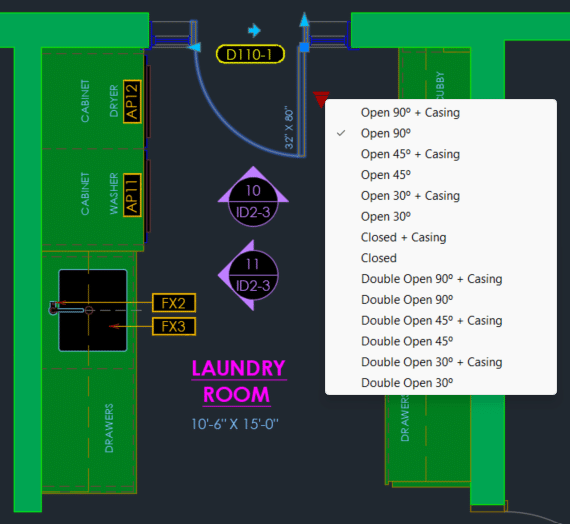
Every project starts the same way
You copy a block from an old drawing.
You download another one that almost works.
You redraw a door, window, or fixture you’ve already drawn dozens of times.
Before long, block styles vary from project to project, drawings become less consistent, and valuable drafting time disappears into work that shouldn’t need repeating.
None of these tasks are difficult — they’re simply repetitive. And when you repeat them across project after project, those small inefficiencies add up to a surprising amount of wasted drafting time.
Built from Real Interior Design Work
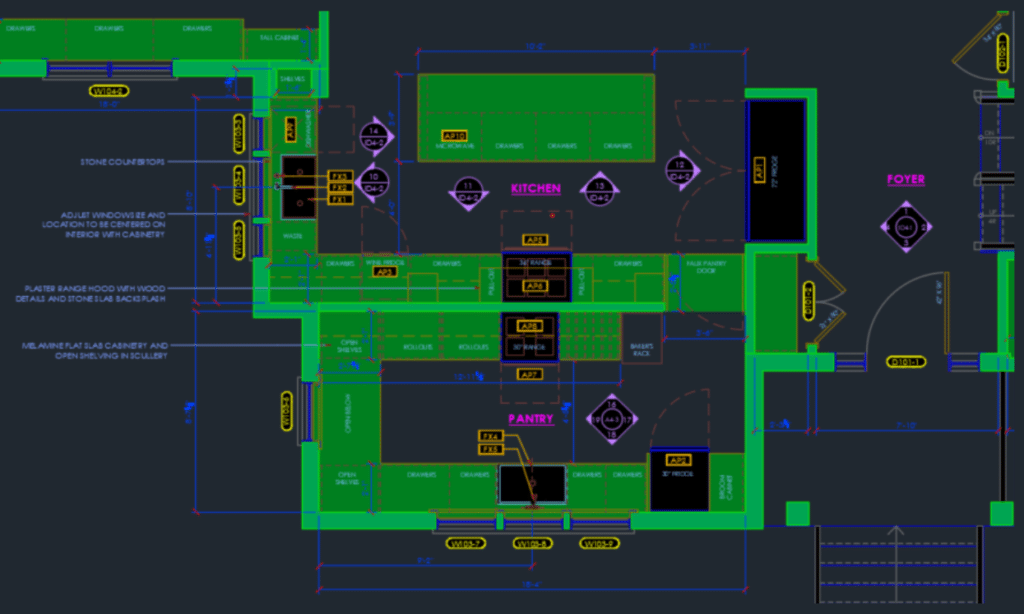
Designer Canvas grew out of more than twenty years of interior design and renovation drafting experience.
Over the years, I built and refined my own AutoCAD blocks and drafting standards to make project work more consistent and efficient.
These tools weren’t created as a product first. They were developed through real client projects, adjusted when something didn’t work, and refined over time until they became a dependable part of my own drafting workflow.
The Starter Block Pack is the first of those tools to be made available to other interior designers.
Starter Block Pack
The Starter Block Pack gives your studio 200+ block variations across six categories, drawn to scale and ready to drop into your existing AutoCAD workflow.
Included in the Library:
Doors
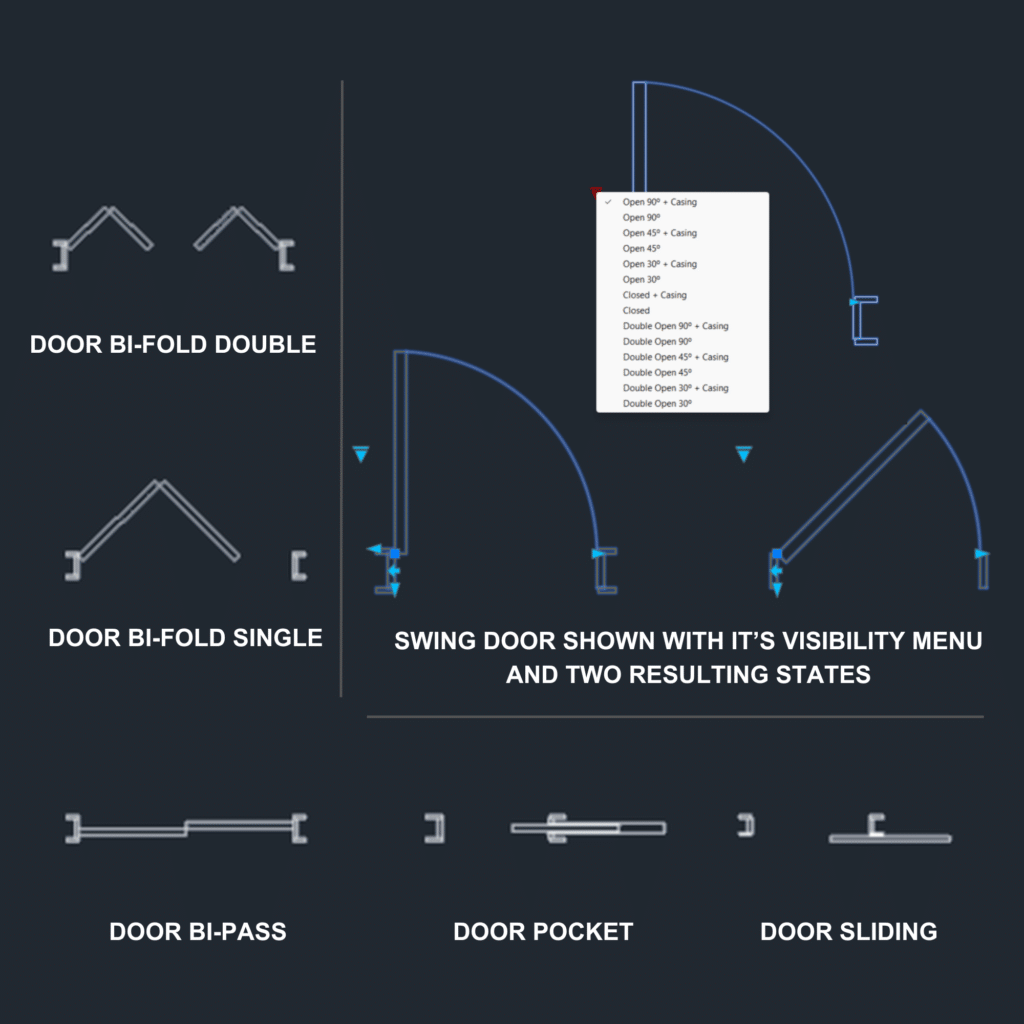
- Swing Doors
- Pocket Doors
- Sliding Doors
- Bi-Pass Doors
- Bi-Fold Doors

Windows
- Modular Window Block
Kitchen
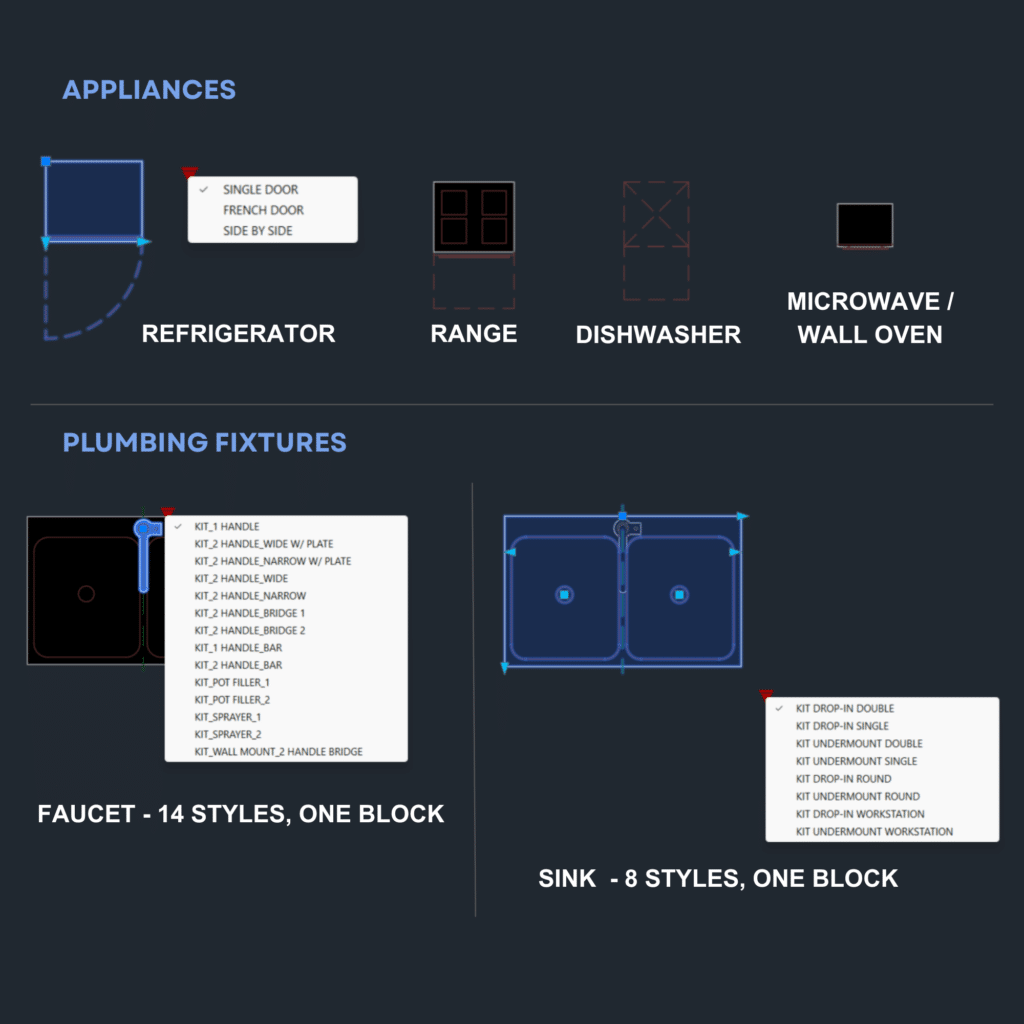
- Sinks + Faucets
- Refrigerators
- Ranges
- Dishwashers
- Microwaves
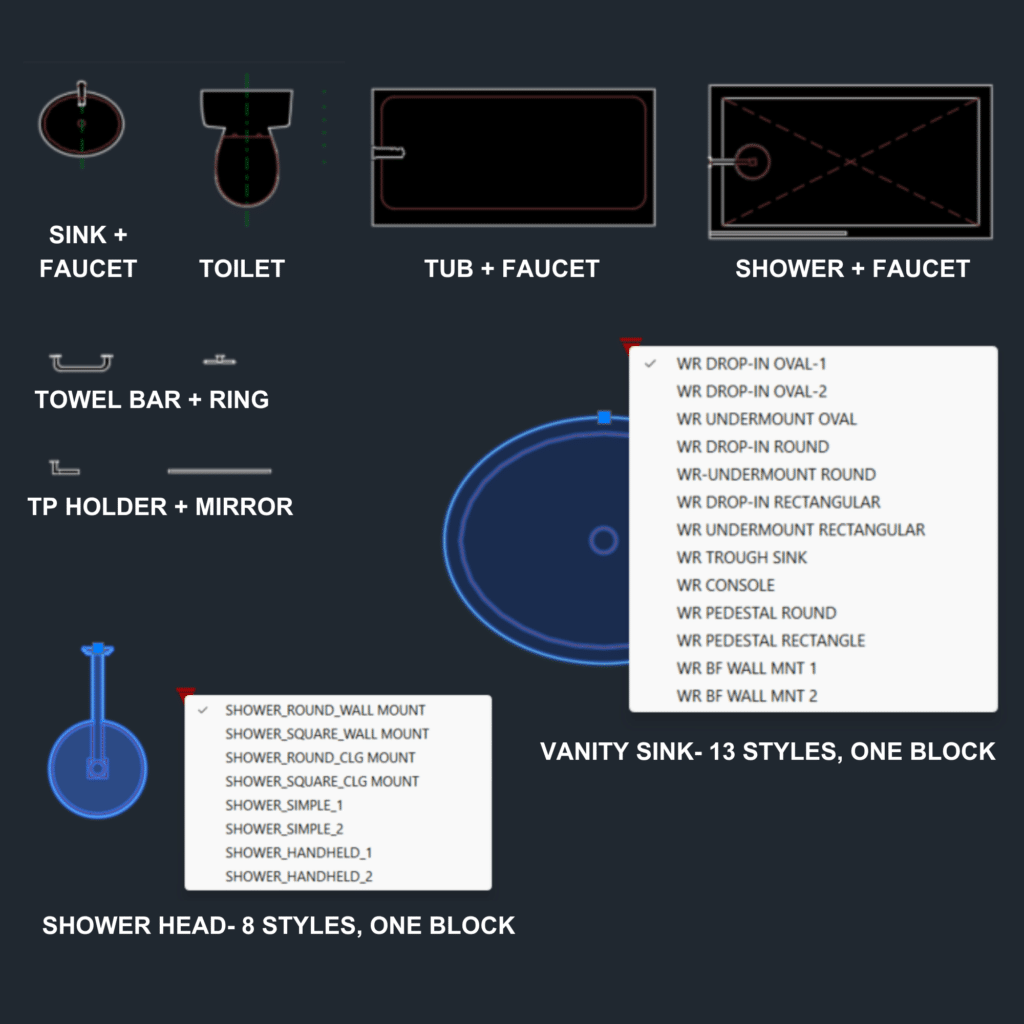
Bathroom
- Sinks + Faucets
- Bathtubs
- Showers
- Toilets
- Mirrors
- Accessories
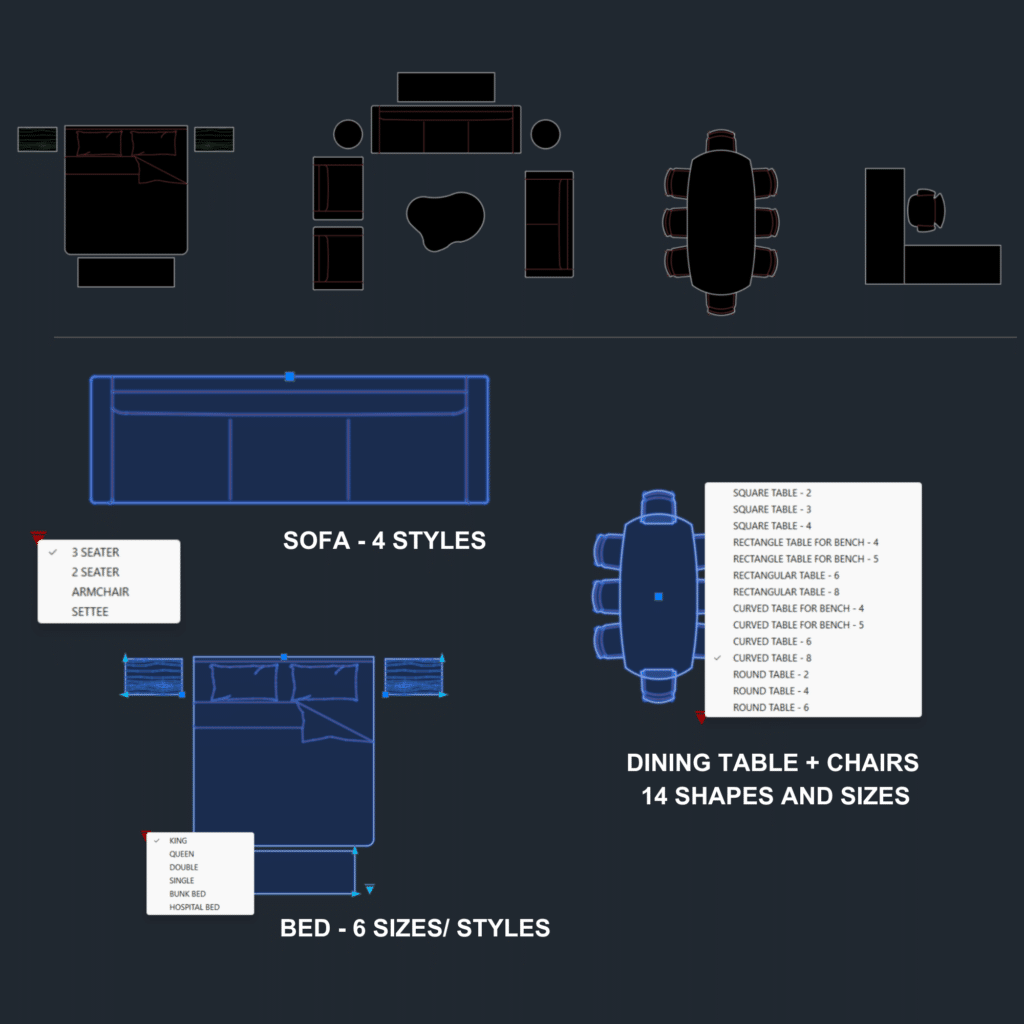
Furniture
- Sofas
- Loveseats
- Armchairs
- Coffee + End Tables
- Dining Tables + Chairs
- Beds
- Nightstands + Dressers
- L-Shape Office Desk
- Office Chairs
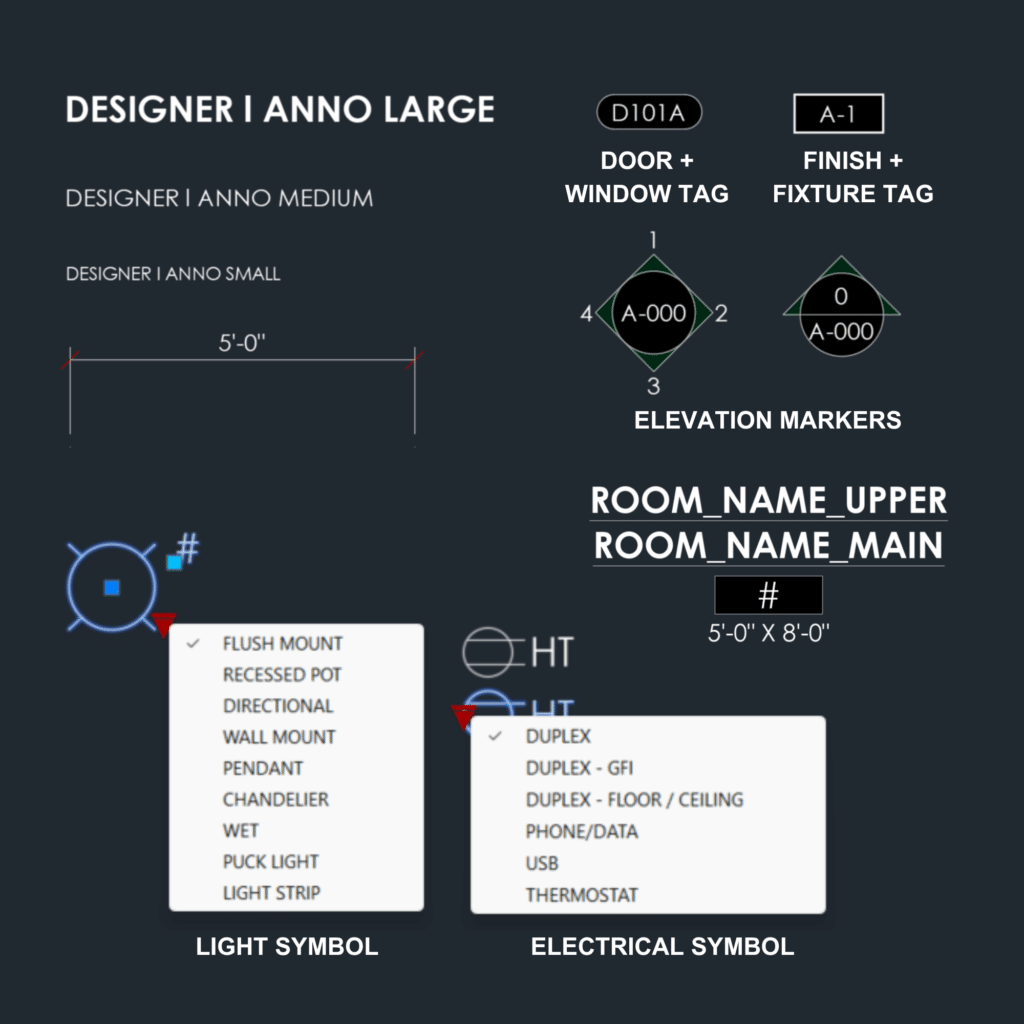
Annotations + Symbols
- Text Styles
- Dimension Styles
- Door + Window Tags
- Finish Tags
- Elevation Markers
- Electrical + Lighting Symbols
Extras Included...
Layer 0 setup
Blocks are built on Layer 0, so you can assign them to your own studio layer standards without having to untangle embedded layer names. Where a block needs additional structure — such as a detail layer, pattern, or fill layer that masks what’s behind it — those layers are built into the block where they’re needed.
Matching CTB file
The included CTB file contains the plot settings used to test the blocks, so you can get the same lineweight results when printing. You’ll only need to bring those settings into your own plot style table once.
Quick setup guide
Two of the colours used by the blocks are common AutoCAD colours that may already be assigned in your CTB. The setup guide shows you exactly how to check for conflicts and make the necessary adjustments before you start using the blocks.
What Every Block Delivers
Dimensionally Accurate
Every door, window, fixture, and furniture piece is drawn at its real-world size. Insert it into your drawing at the correct scale without guessing or correcting the block afterward.
Genuinely Dynamic
Where dynamic features are useful, the blocks are built to behave the way you’d expect — with clean resizing, flipping, and visibility options where applicable, without distorted geometry or awkward grips.
Built for Interior Design
The library focuses on the doors, windows, fixtures, furniture, and annotation tools interior designers actually use in their day-to-day drafting — without filling it with unrelated general-purpose CAD content.
Production
Ready
Clean graphics, purpose-built layers, and tested plot settings designed to support real documentation sets — not just look good on screen.
Designed for Small Interior Design Studios
If you own or manage a small interior design studio working primarily in Imperial units, this pack was built with your workflow in mind.
It’s designed for studios producing technical drawing packages who want a consistent set of core CAD content for floor plans, furniture layouts, kitchens, bathrooms, and everyday documentation.
One Purchase. One Standard Across Your Studio.
The Starter Block Pack includes a studio/team license for up to 10 users within your practice.
Your designers, drafters, and contractors can work from the same library, helping keep your drawings consistent across projects. Freelancers and contractors are also covered while they’re working with your practice.
Ready to put the blocks to work?
In Trish's Words
These blocks grew out of years of real drafting. I built and refined them to make my own project work more consistent, and eventually realized they could save other interior designers from rebuilding the same things over and over.
Trish Schroeder
FOUNDER | DESIGNER CANVAS
I’ve spent more than 20 years working in interior design and residential renovation, including construction drawing projects for multiple design firms. Designer Canvas is where I’m bringing the tools and drafting practices I’ve developed along the way to other designers.
Wondering How It All Works?
Here are quick answers to some of the questions you may have before getting started.
Is this Metric or Imperial?
The Starter Block Pack is built specifically for Imperial-unit workflows. No Metric version or conversion is included.
What exactly is included in the download?
You’ll receive the complete Starter Block Pack, including 200+ block variations across six categories, the matching CTB file, and a quick setup guide to help you get everything working in your existing drawings.
What version of AutoCAD do I need?
AutoCAD 2018 or newer. The files are saved in AutoCAD 2018 DWG format, making them compatible with AutoCAD 2018 through current versions.
Can I modify the blocks?
Yes. The blocks are designed to be customized for use within your own projects, subject to the terms of the product license.
Can my whole studio use it?
Yes. The Starter Block Pack includes a studio/team license for up to 10 users within your practice.
Is there a setup guide?
Yes. A quick setup guide walks you through integrating the blocks and CTB settings into your existing drawings.
Ready to Stop Rebuilding the Same CAD Content?
The Starter Block Pack gives your studio a consistent library of practical, production-ready AutoCAD blocks for the everyday drafting work you already do.